
Business Expenses
Best Expense Tracking Software for UK Finance Teams: What to Look For & Why It Matters
Discover the best expense tracking software for UK finance teams in 2026 – with key features, comparisons, and how to choose the right fit.
The UK tax year-end doesn’t usually fail because someone forgot the date. It fails because finance is chasing the basics: missing receipts, late approvals, unclear categories, ad hoc expenses, and last-minute “can you break this down by department?” requests.
This guide is built for finance teams and employers. You’ll get:
The key UK tax-year dates (and who they apply to),
A step-by-step year-end checklist to reduce the scramble,
And a simple way to keep expense evidence and approvals under control all year, whether you’re using spreadsheets or an expense system.
Note: The content provided in this blog is for informational purposes only. For more detailed advice consider consulting a tax professional.
The UK tax year runs from 6 April to 5 April.
The tax year is fixed. A company financial year can vary depending on your accounting reference date.
Year-end payroll documentation and benefits reporting (like P60 and P11D) are common pinch points, alongside keeping clean evidence for expenses.
In the UK, the fiscal year (often used interchangeably with “tax year”) is the period the government uses for tax purposes. It’s a key reference point for reporting income, calculating tax owed, and managing year-end deadlines.
For finance teams, as 5 April approaches, the volume of corrections, evidence chasing and reporting requests tends to spike, unless the process is already under control with clear processes and the right expense reporting software.

Fixed period used for personal tax purposes
Runs 6 April to 5 April
Your business reporting period for accounts
Can vary depending on your accounting reference date
Some businesses align it to the tax year; many don’t
Why this matters for finance: So in theory, you can be closing financial year, tax year, and VAT periods that don’t line up. Clarity upfront prevents messy reporting later — especially when you’re trying to answer how to track employee spending across departments.
Businesses can set their own financial quarters, but many align them with calendar quarters for simplicity.
Quarters matter because they drive cadence: budget reviews, financial forecasting, and spend control.
 Common calendar-quarter breakdown
Q1 (First Quarter): April 1 - June 30
Q2 (Second Quarter): July 1 - September 30
Q3 (Third Quarter): October 1 - December 31
Q4 (Fourth Quarter): January 1 - March 31
For businesses: Quarters help you track performance, adjust spend, and stay ahead of tax obligations.
For individuals: Quarters can be a useful prompt to review savings/investments and plan ahead.
Navigating the UK tax year means tracking deadlines across payroll, employee reporting, and (for some) Self Assessment and CGT reporting. Missing deadlines can lead to penalties, so these are worth locking into a finance calendar.
Below is a reference table you can use internally.
Date | What it is | Who it applies to | What you need to do | Dates reference (tax year context) |
|---|---|---|---|---|
6 April | Start of the UK tax year | Individuals + employers | New tax year starts (rates/thresholds reset) | Start of Tax Year YYYY/YY (e.g., 2025/26 starts 6 April 2025) |
5 April | End of the UK tax year | Individuals + employers | Tax year ends | End of Tax Year YYYY/YY (e.g., 2024/25 ends 5 April 2025) |
Before your first payday | Register for PAYE as an employer | Employers | Register with HMRC to get an employer PAYE reference | Not tied to tax year - triggered by starting to pay staff |
31 May | Provide employees with a P60 | Employers | Give P60 to employees who were on payroll on 5 April | 31 May after the tax year ends (e.g., 31 May 2025 for 2024/25) |
6 July | Submit P11D / P11D(b) (benefits & expenses) + give employees their info | Employers | Report expenses/benefits and provide employee copies | 6 July after the tax year ends |
5 October | Register for Self Assessment (first time) | Individuals / self-employed who need SA | Register if you need to file for the previous tax year | 5 October after the tax year ends |
31 October | Paper Self Assessment return deadline | Individuals filing on paper | Submit paper return for the previous tax year | 31 October after the tax year ends |
31 January | Online Self Assessment return deadline + balancing payment due | Individuals / self-employed | File online return + pay tax due for the previous tax year | 31 January after the tax year ends |
Within 60 days of completion | Report & pay CGT on UK residential property (where required) | Individuals selling UK residential property | Report disposal and pay any CGT due using HMRC service | Triggered by property sale completion date, not a fixed calendar date |
Important: Deadlines can vary in special cases (e.g., partnerships, agents, different accounting dates, PAYE settlements). Always confirm requirements with HMRC and your adviser.
If your year-end checklist involves “chase receipts” written ten times, it’s a process problem, not a people problem.
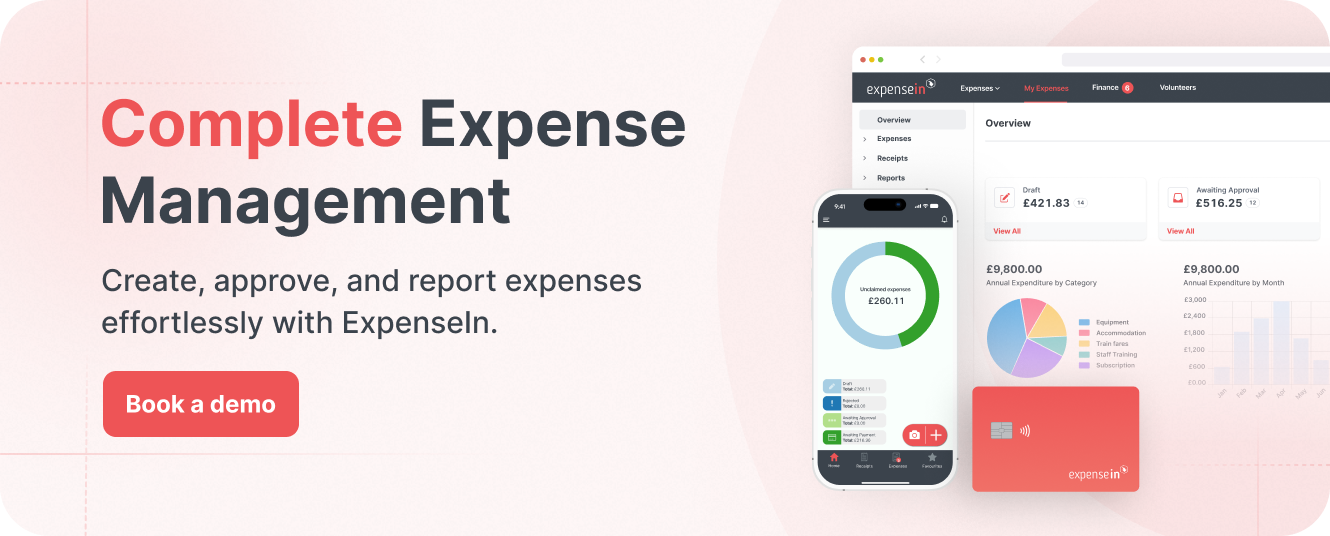
Expense management software, like ExpenseIn, is designed to help teams capture evidence, route approvals, and keep reporting cleaner without the back-and-forth.
Preparing for the end of the fiscal year can seem daunting, but breaking it down into manageable steps can make the process smoother, especially if you’re consolidating employee travel expenses, mileage, and one-off expenses from multiple teams.

Make sure transactions are recorded accurately across the year (income, business expenses, investments and any other material items).
Gather core records: bank statements, invoices, expense receipts, digital transaction logs
Verify income streams against recorded entries
Review employee expenses for completeness and correct categorisation
Spot-check one month against the bank to catch missing/duplicate entries
Investigate discrepancies and correct them promptly
Pro tip: If your team needs a starting point, use our expense policy template to standardise what “good” looks like.
Year-end goes faster when evidence is consistent and easy to find.
Create a checklist of documents you need (invoices, receipts, payroll, VAT records)
Choose a filing structure (digital folders by type + month works well)
Capture receipts at source (photo/e-receipt). Teams are faster when they can submit via an expenses mobile app instead of forwarding to finance.
Categorise receipts by expense type for easier review
Keep payroll records together (payslips, tax withholdings, pension contributions)
Reconciliation is where year-end problems reveal themselves.
Gather monthly statements (download from online banking if needed)
Compare statement line-by-line to your ledger or accounting system
Flag missing entries, incorrect amounts, and duplicate postings
Resolve differences and update records
Make it a monthly habit to avoid year-end pain
Review the taxes your business is liable for and whether anything has changed that affects filing.
List relevant taxes (e.g., Corporation Tax, VAT, PAYE)
Track key deadlines and plan backwards
Estimate liabilities early to avoid surprises
Keep documentation clean; it supports your filings and HMRC audit defence
Tax efficiency starts with accurate capture and support.
Identify deductible expense categories relevant to your business
Ensure receipts/evidence are captured and stored consistently
Record expenses promptly (don’t leave it to year-end)
Use accounting software to categorise and review trends
Unpaid invoices distort your picture of performance and cash position.
List unpaid invoices (owed to you and owed by you)
Prioritise chasing by value and age
Record communications and payment agreements
Update records once payments are received/made
Payroll errors are expensive to fix late.
Confirm employee details, salary changes, and leavers/joiners
Verify payments match payroll records
Check tax withholdings and pension contributions
Keep year-end payroll documentation organised
Summarise the year so decisions aren’t made from scattered data — ideally with consistent, real-time expense reports during the year so year-end isn’t a forensic exercise.
Pull income, expense, asset and liability data
Create clear categories and consistent reporting views
Run profit/loss and review key variances
Double-check accuracy and document assumptions
Avoid the “we didn’t set enough aside” scenario.
Estimate what’s due and by when
Ringfence funds where possible
Consider scheduled payments, so deadlines don’t sneak up
A short review with an accountant can prevent expensive corrections.
Bring your financial report + questions
Ask about reliefs, risks, and what to keep for evidence
Implement recommendations before filing deadlines
Accuracy matters as much as timing.
Confirm which submissions apply to your business
Review figures and supporting evidence
File early if possible to reduce last-minute risk
Turn year-end into a process upgrade, not just a finish line.
Identify what caused delays (receipts, approvals, coding, reporting)
Set simple rules for next year (cut-offs, approval cadence, evidence standards)
Update policies and communicate changes clearly
ExpenseIn is designed to reduce back-and-forth by keeping expense claims, evidence, and approvals organised throughout the year. Book a demo today.
If you miss the Self Assessment deadline, you'll face an immediate £100 penalty.
Additional charges and interest accrue if the delay extends beyond 3 months, including daily penalties of £10 up to 90 days, and further penalties at 6 and 12 months.
Yes, HMRC considers appeals against penalties if you have a 'reasonable excuse' for missing a deadline. According to HMRC, these reasonable excuses include:
If your partner or a family member passed away right before the tax deadline.
Being unexpectedly admitted to the hospital.
Experiencing a severe or life-threatening illness.
Your computer or tax software crashed when you were about to or while preparing your online tax return.
Having trouble with HMRC's online services.
A disaster like a fire, flood, or theft made it impossible to get your tax return done.
Unexpected postal issues.
If you have a disability or mental health condition that caused delays.
Not knowing or misunderstanding your responsibility to file a return.
Depending on someone else to file your return for you, but they didn't do it.
You'll need to explain your situation and provide evidence where possible.
If you anticipate missing a deadline, contact HMRC as soon as possible. They may offer advice or arrange a payment plan to help manage your tax liability and minimise penalties.
Note: Penalty rules can change and can depend on circumstances. Always check the latest HMRC guidance or speak with your adviser.
There are multiple ways to pay, each with processing times to factor in.
 Here’s an overview:
Direct Debit: Set up a Direct Debit through your HMRC online account for automatic payments.
Bank Transfer (Faster Payments): Make a payment directly from your bank, usually on the same or next day.
Debit or Credit Card Online: Use your card to pay online via the HMRC website. Note that credit card payments may incur a fee.
BACS: Payments through the Bankers' Automated Clearing Services take up to three working days.
CHAPS (Clearing House Automated Payment System): Ideal for large payments, ensuring same-day transfer if made within the bank’s processing times.
Cheque by Post: Send a cheque to HMRC. Remember to allow time for the cheque to arrive and be processed before the deadline.
At Your Bank or Building Society: You can pay at your bank or building society by cheque or cash using a paying-in slip from HMRC.
Note: The option is no longer available to make payments to HMRC at Post Office branches.
Each method has its own processing times and potential fees, so it's important to plan ahead to ensure your payment reaches HMRC before the deadline.
Ready for a cleaner close next year? Book a demo to see how an expense management system can help reduce receipt chasing, improve approvals, and keep reporting consistent.
Review past performance: Analyse your financial reports from the previous year to identify strengths, weaknesses, and areas for improvement.
Set financial goals: Based on your review, set clear, achievable goals for revenue, expenses, savings, and investments for the upcoming year.
Budget for taxes: Estimate your tax liabilities and set aside funds monthly. Consider opening a separate bank account for tax savings to avoid spending the money unintentionally.
Review past performance and identify spend drivers
Set clear financial goals (cost control, growth investment, margin)
Budget for taxes and ringfence cash where possible
Update processes to reduce manual work (approvals, evidence capture, coding)
Monitor cashflow with a forecast, not just rear-view reporting
Review and refresh financial policies, especially expenses
Educate budget holders so finance isn’t the only line of defence
Year-end doesn’t need heroics. It needs a repeatable process: consistent submissions, approvals on time, evidence attached, and reporting that doesn’t rely on spreadsheets.
If you want to see how finance teams keep expenses, receipts, approvals and reporting organised throughout the year, book a demo with ExpenseIn.
Discover the best expense tracking software for UK finance teams in 2026 – with key features, comparisons, and how to choose the right fit.

