Lower reimbursement costs
Reduce extra tools and bank work, keeping reimbursement costs lower and easier to manage.
Manage employee expenses from claim to reimbursement in one platform. Employees submit, managers approve, and finance runs reimbursements from a central pot, powered by Stripe.






Keep expense creation, approvals, reimbursements, and accounting sync connected in one platform.

Employees submit expenses quickly via the app, and managers approve in a few clicks.

Finance reviews approved expenses and starts a reimbursement run from ExpenseIn.

Once complete, expense data is ready to sync with your accounting software.

Reduce extra tools and bank work, keeping reimbursement costs lower and easier to manage.

Fund one central pot, then manage approved reimbursements across teams and departments.
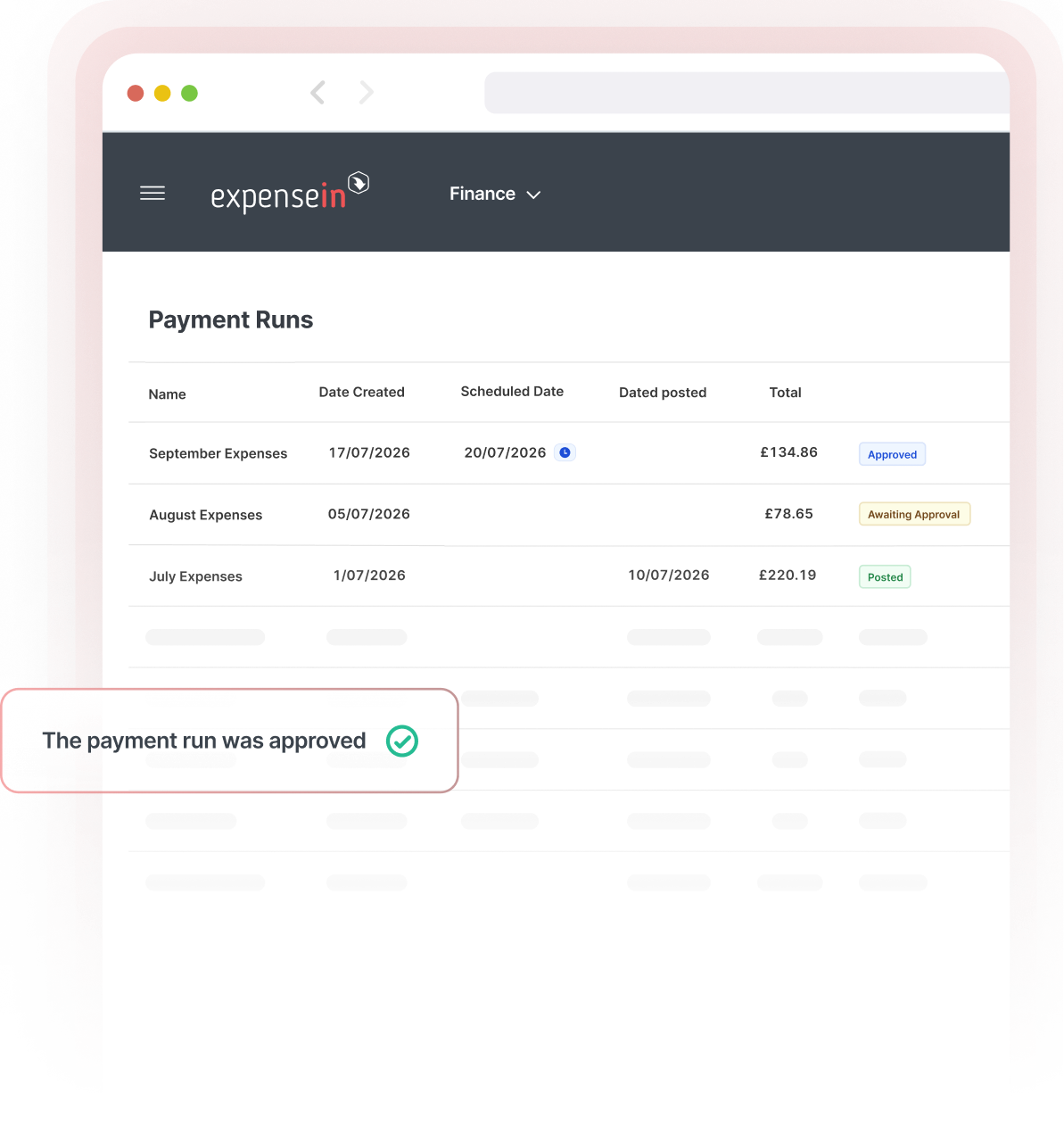
Manage claims, approvals, reimbursements, and reporting - all within one ExpenseIn workflow.
Review approved expenses before funds leave, so finance stays in control throughout.

Check employee bank details in real time and flag mismatches before reimbursement.
Stay in control of what gets reimbursed, when, and to whom.
Before each payment run, finance can review approved expenses, check employee payment details, and confirm what’s included. Once processed, the reimbursement stays connected to the original expense and approval record for clearer reporting and reconciliation.
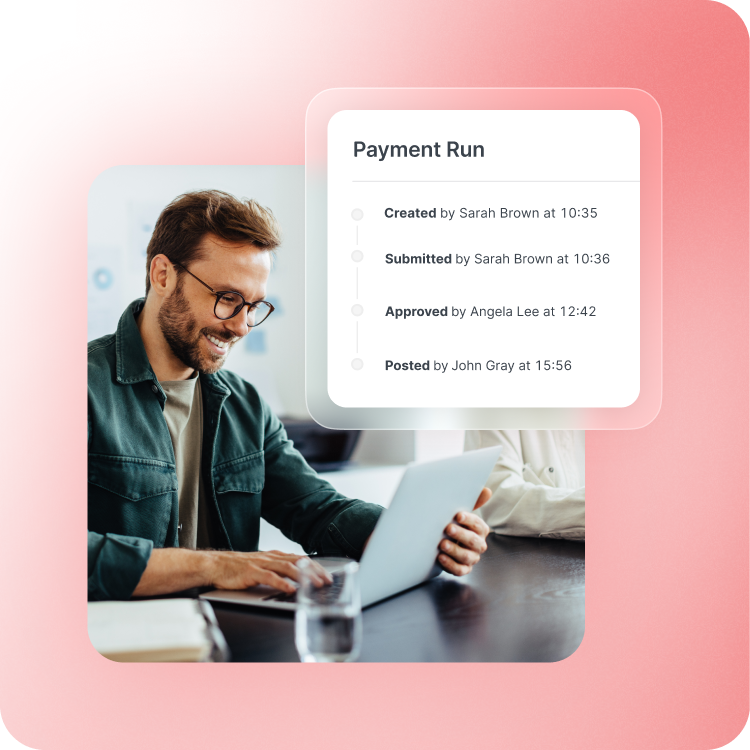
Reimbursing the employee is only one part of the process. Finance still needs the right expense data reflected in its accounting software.
ExpenseIn keeps expense, approval, and reimbursement data connected throughout the workflow and syncs completed data with your accounting software.
That means less time matching reimbursement records back to the original expense afterwards.

The ExpenseIn App is easy to use and the pricing model works very well for us.

We’re really pleased we made the decision to roll out ExpenseIn at Ascot Racecourse and the system has been widely embraced by our employees.

The biggest benefits since using ExpenseIn are its ease of use, configuration for back office and the mobile app.

The ExpenseIn App is easy to use and the pricing model works very well for us.
We’re really pleased we made the decision to roll out ExpenseIn at Ascot Racecourse and the system has been widely embraced by our employees.
The biggest benefits since using ExpenseIn are its ease of use, configuration for back office and the mobile app.
Our employees are happier as they are getting paid quicker.

The ExpenseIn App is easy to use and the pricing model works very well for us.
We’re really pleased we made the decision to roll out ExpenseIn at Ascot Racecourse and the system has been widely embraced by our employees.
The biggest benefits since using ExpenseIn are its ease of use, configuration for back office and the mobile app.
Our employees are happier as they are getting paid quicker.
From expense creation to approval, reimbursement, and accounting sync, keep the process connected in one platform.
Employee expense reimbursement is the process of paying employees back for approved out-of-pocket expenses, such as travel, mileage, or other work-related costs.
Employees submit an expense and attach the relevant receipt. ExpenseIn applies your policy and approval workflow before the claim reaches finance.
Once approved, finance can review the expenses due for reimbursement and include them in a payment run from ExpenseIn. Completed expense and reimbursement data then syncs to your accounting software.
Finance funds one central pot for employee reimbursements. Approved expenses can then be included in reimbursement runs using those funds, giving finance a central way to manage payments across teams and departments.
Employees can submit purchase expenses, mileage claims, and other work-related expenses through ExpenseIn. Once the relevant expense has been reviewed and approved, eligible expenses can move through the reimbursement process.
Employee expense reimbursement software helps businesses manage expense claims from submission through to approval and reimbursement.
With ExpenseIn, employees can submit expenses and receipts, managers can approve claims, and finance can manage approved reimbursements within the same platform.
Yes. ExpenseIn Reimbursements allows finance teams to reimburse approved employee expenses directly from within ExpenseIn, using funds from a centrally funded pot.
ExpenseIn Reimbursements are completed via Faster Payments in the UK and follow the timeframes specified. You can also schedule payments to run at a specific date/time if preferred.
Yes. ExpenseIn syncs expense and reimbursement data with your accounting software, keeping the process connected from claim through to reimbursement and accounting.


Looking to streamline other aspects of your expense management process?

